


Kids Academy: Learning Games
3.840.00 Reviews
App Specs
- Version
- 1.1.43
- Updated On
- License
- Free
- Downloads
- 1,000,000+
- Developer
- Bimi Boo Kids Learning Games for Toddlers FZ-LLC
- Categories
- Education
- Platform
- Android
Screenshots
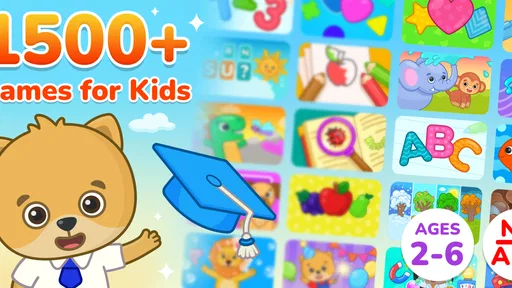
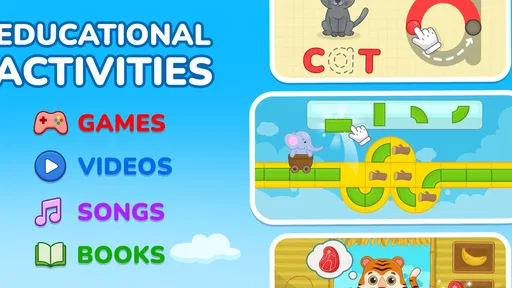
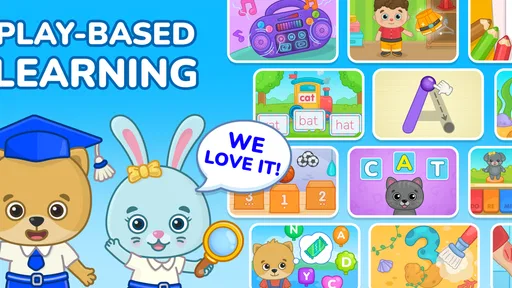
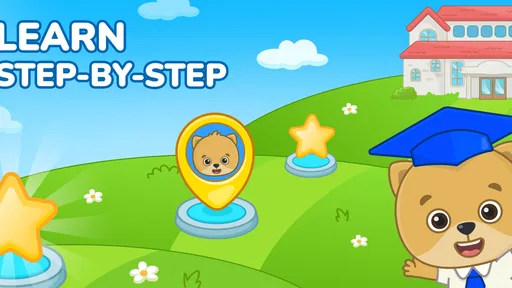
 Analysis by AppCompare
Helping a young child learn at home is easier when the activity feels like play rather than another lesson. I found Kids Academy: Learning Games most useful in that space: it combines short educational activities with videos and simple practice aimed at early learners. I would not treat it as a complete preschool curriculum, but it can become a practical part of a daily routine when an adult chooses the right moment and stays nearby.
This is a free education app from Bimi Boo Kids Learning Games for Toddlers FZ-LLC, with optional purchases ranging from $8.99 to $59.99 per item. It is marked for Everyone, runs on Android 7.0 and newer, and the current version is 1.1.43. The app has passed one million installs and holds a 3.8 average from around 1.7 thousand ratings, so it has clearly reached a sizeable audience while still receiving a mixed response.
How I would use Kids Academy in a normal day
The best starting point is not handing over the phone and hoping the child explores productively. I would first decide what the session is for. If the goal is vocabulary, I would select a quiet moment and let the child focus on the language activity. If the child is tired, a short video may be a gentler entry point than a task requiring repeated answers. For early math, I would keep the session brief and talk through the answers instead of treating every mistake as a problem.
That simple choice makes a noticeable difference. Young children often move quickly between activities when an app offers several learning areas, but switching constantly can turn practice into random tapping. I prefer a repeatable pattern: one short activity, a conversation about what appeared on screen, and then a decision about whether another round is worthwhile. The adult’s explanation is important because the app can show a concept, while a parent or teacher can connect it to real life.
A realistic example would be a child waiting while dinner is prepared. I might use the app for a short vocabulary session, ask the child to identify something in the kitchen that matches a word or picture, and then stop rather than extending the screen time automatically. This turns the app into a prompt for offline learning. It also avoids the common mistake of measuring success by how long the child stays occupied.
For a preschooler who enjoys repetition, repeating the same kind of activity can be more useful than exploring everything in one sitting. Repetition allows the child to recognize instructions and respond with less hesitation. I would keep an eye on whether the child is actually understanding the task or merely learning where to tap. That distinction is one of the main reasons I would use this as a shared activity at first.
The app’s broad educational focus is convenient for families who want vocabulary, math and related early-learning practice in one place. It avoids the need to switch between several narrowly focused apps. On the other hand, that breadth means it may feel less specialized than a dedicated phonics, counting or language-learning tool. I see it as a flexible starting point rather than the final resource for a child with a very specific learning target.
Worth Reading Before You Choose

EA SPORTS FC Mobile 26 Is a Bigger Football Game, but It Takes Time

Flipboard Shows What News Apps Must Do Beyond the Feed

Switching to Android Auto Means Rethinking Your Driving Routine

Google Calendar Makes a Crowded Week Easier to Manage

Ludo King Makes the Most of the Minutes Between Plans

Baby Panda World Brings Quick Play to Modern Phones, but Its Game Library Feels Busy
Settings and preparation that save frustration
Before giving the device to a child, I would check the app’s available settings and the device itself. The most important preparation is practical: set a comfortable volume, remove distracting notifications, and make sure the child cannot accidentally leave the learning session and open unrelated content. These steps are not glamorous, but they make the experience calmer and reduce the need for constant intervention.
I would also inspect which activities are available without payment before building a routine around them. The free starting point is useful for deciding whether the visual style, pacing and level of interaction suit the child. Optional purchases can expand access, but a parent should test the basic experience first rather than assuming every child will enjoy the same format. This is especially important because the purchase range is wide enough to affect the total cost of regular use.
Another useful habit is to choose a consistent session length outside the app. Even if the application does not provide the exact progress system a parent wants, an adult can still keep a simple note of what the child practiced. I would write down a topic such as vocabulary or math, then record whether the child needed help. This makes it easier to notice genuine improvement instead of relying on memory or on the child’s enthusiasm.
Parents should also consider the size and position of the device. A small child may tap inaccurately if buttons are difficult to reach or if the screen is held too far away. Placing the device on a stable surface can help the child use both hands and concentrate on the task. I would avoid using the app while walking, eating or moving between activities, because those situations encourage hurried interaction rather than careful learning.
For younger children, I would preview a session. A quick look at the available material helps an adult decide whether the content matches the child’s current ability. If the child is already comfortable with a topic, the activity may be useful as review but not challenging enough as the main lesson. If the child is struggling with the instructions, sitting together for the first attempts can reveal whether the problem is the concept, the wording or the interface.
Faster routines for busy parents
Experienced use is less about discovering a secret shortcut and more about removing repeated decisions. I would create a small rotation of activities: vocabulary on one day, early math on another, and a mixed review when the child asks for the app. The rotation gives the session a purpose without turning it into a rigid timetable. It also prevents the child from choosing only the easiest activity every time.
A second efficient pattern is “watch, answer, explain.” If a video introduces an idea, I would pause the entertainment mindset and ask the child to show the idea using objects nearby. After an activity involving counting, for example, the child could count spoons, blocks or toy animals. This does not require special equipment, and it helps reveal whether the digital response reflects real understanding.
I would keep the device ready in a neutral place rather than presenting it as a reward for every completed task. When an educational app becomes the only attractive option, the child may focus more on gaining screen access than on learning. A predictable routine works better: the app is one activity among several, followed by drawing, building, reading or conversation.
For siblings, I would avoid assuming that one shared session will suit both children. A younger child may need more help with instructions, while an older preschooler may become bored with repeated introductory material. If they use the app together, I would give each child a turn answering and ask the waiting child to explain the answer rather than simply watching passively. This makes shared use more active and reduces arguments over control of the screen.
Another practical technique is to stop at a natural point. Children often remember an activity more positively when the session ends before frustration takes over. If the child starts guessing rapidly, looking away or asking to leave, I would finish the current task and switch to an offline activity. More minutes do not automatically mean more learning, especially for early learners.
The app can also fit short waiting periods, but I would distinguish between a planned micro-session and unrestricted access. A few focused minutes before an appointment can be useful; giving the device without an endpoint can make stopping difficult. I would tell the child what will happen first and what comes next, using simple language such as “one activity, then we put the device away.”
Where the app works well, and where it reaches its limits
The strongest part of this app is its approachable combination of videos and games. Children who resist worksheets may respond better to colorful, interactive practice. The range of topics also gives parents a convenient way to vary the routine without searching for a new download every time the child loses interest. For a family looking for a gentle introduction to educational screen time, that convenience is meaningful.
Still, I would not use it as a substitute for books, conversation, physical play or direct teaching. A child can identify an answer on a screen without being able to use the word naturally or apply the math idea away from the device. The app is most effective when it starts a conversation or reinforces something the child has already encountered, not when it carries the whole learning burden alone.
The rating of 3.8 suggests that the experience will not be perfect for everyone. In my view, some of that variation is likely to come from differences between children: one may enjoy the pace and visual presentation, while another may need slower explanations or more open-ended activities. Parents should judge the fit based on the child’s response rather than assuming that a popular download will suit every learning style.
The optional payment model is another point to consider. The app is free to install, which lowers the barrier to trying it, but families should be comfortable with the possibility of paid content before making it part of a long-term routine. I would begin with the accessible material, assess whether the child returns willingly and learns from it, and only then consider whether additional purchases provide enough value.
I would choose a more specialized alternative when the goal is narrow and measurable. A child who needs focused letter-sound practice may benefit more from a dedicated phonics resource. A child who needs handwriting preparation may need tracing materials and physical activities rather than another collection of on-screen tasks. For broad early-learning exposure, however, this app is more convenient than maintaining several separate tools.
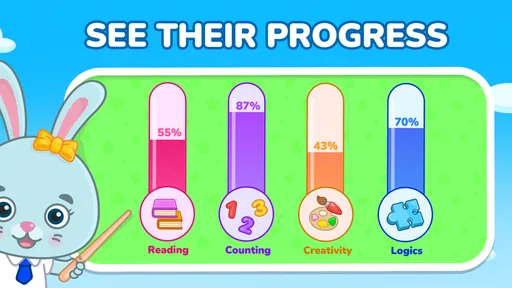
It is also not the right choice for a family seeking detailed teacher-style reporting. The useful progress information may come mainly from watching the child and keeping simple notes yourself. That can be perfectly adequate for casual home practice, but parents who need formal tracking, individualized lessons or a structured classroom sequence should look beyond a general-purpose children’s app.
Questions I would answer before installing it
Is it suitable for a very young child? It is labeled Everyone and is designed around early education, but age labels do not replace supervision. I would sit with a child who cannot yet read instructions independently, at least until I know the child understands how each activity works. The adult can then decide whether the visual cues are enough or whether spoken explanation is needed.
Can it support learning without an internet connection? I would not build a routine around that assumption. Instead, I would prepare the device and test the exact activities beforehand if offline access matters to the family. A parent who expects to use it during travel should check the behavior of videos and games in advance rather than discovering a limitation when there is no connection.
Will the free version be enough? It can be enough to evaluate the app and establish whether the child likes the format. Families should explore the available activities first, because a child’s engagement matters more than the size of the content library. If the free material becomes repetitive or does not match the child’s needs, paying for more may not solve the underlying mismatch.
How much adult help is needed? That depends on the child and the activity, but I would expect more help at the beginning than after a familiar routine has formed. The adult’s role is not to answer every question. It is better to explain the instruction, let the child attempt it, and ask the child to describe the answer. That approach makes the session more educational than simply correcting taps.
Is it a good replacement for preschool learning? No, and I would not present it that way to a child or parent. It can reinforce vocabulary and early math, provide a structured screen-time option, and offer variety during home practice. It cannot provide the social interaction, physical exploration and responsive teaching that children receive from real-world learning environments.
My verdict after building a repeatable habit
I recommend Kids Academy: Learning Games to parents who want a broad, approachable education app for short, supervised sessions. Its combination of videos and games makes it easy to introduce learning without making every activity feel like formal study. The free entry point is helpful, and the range of early topics gives families room to create a simple rotation rather than relying on one repetitive exercise.
My recommendation comes with clear conditions. Use it as a supplement, preview the available material, check the device settings, and connect screen activities to objects and conversations in the child’s real environment. Keep an eye on optional purchases, and do not assume that longer sessions or more advanced content automatically produce better results.
For a child who enjoys visual games and benefits from repeated, guided practice, this can be a pleasant addition to the day. For a child who needs specialist instruction, detailed progress records or hands-on learning, a dedicated alternative may be a better investment. The most effective workflow is short digital practice followed by real-world use of the same idea. That is where this app feels most valuable to me: not as a replacement for teaching, but as a friendly starting point that helps parents turn a few spare minutes into purposeful learning.
Pros
- Covers early skills like letters
- numbers
- shapes
- and basic logic.
- Bright animations and friendly characters help maintain young children’s attention.
- Activities are generally simple enough for preschoolers to use independently.
- Progressive difficulty gives children a gentle sense of achievement.
- Suitable for short learning sessions at home or while traveling.
Cons
- Some activities may feel repetitive after extended play.
- The youngest children may still need help navigating menus.
- Certain content or features may require a paid subscription.
- Heavy use can make screen-time limits harder for parents to enforce.
- Device audio is important
- as several activities rely on spoken instructions.
FAQs for Kids Academy: Learning Games
What is Kids Academy: Learning Games?
Kids Academy: Learning Games is an educational app designed for young children, generally focusing on preschool and early elementary skills. It offers interactive lessons, games, worksheets, videos, and activities covering areas such as reading, phonics, writing, mathematics, spelling, and basic science. The content is presented in a colorful, child-friendly format intended to make practice feel more like play than traditional studying.
What subjects and skills can children practice in the app?
The app typically includes activities for foundational academic skills, including letter recognition, phonics, vocabulary, handwriting, sight words, counting, addition, subtraction, shapes, patterns, and problem-solving. Depending on the child’s age and subscription or content package, there may also be lessons involving logic, social-emotional learning, and general knowledge. Parents should review the available curriculum to confirm that it matches their child’s learning level.
Is Kids Academy: Learning Games suitable for my child’s age?
Kids Academy is mainly aimed at preschoolers and young learners, but the appropriate age depends on the child’s current abilities and the activity selected. Some exercises are very simple and suitable for beginners, while others require reading, writing, or basic mathematics knowledge. The app may provide personalized learning paths or level-based content, allowing parents to choose activities that are neither too easy nor unnecessarily frustrating.
Does Kids Academy: Learning Games require a subscription or include in-app purchases?
The app may offer free activities, trials, or limited access, while additional lessons and features can require a paid subscription or in-app purchase. Pricing, trial duration, renewal terms, and available content can vary by platform, region, and promotion. Before starting a trial, parents should check the payment screen carefully, read the renewal information, and manage subscriptions through the Google Play Store or Apple App Store.
Is the app safe for children and does it work without an internet connection?
Kids Academy is designed as a children’s learning platform, but parents should still review its privacy policy, advertising approach, account requirements, and parental controls before allowing independent use. Some lessons or downloadable materials may work offline, while videos, progress synchronization, and newly loaded activities may require internet access. It is also advisable to enable device-level purchase restrictions and supervise the first sessions.


